




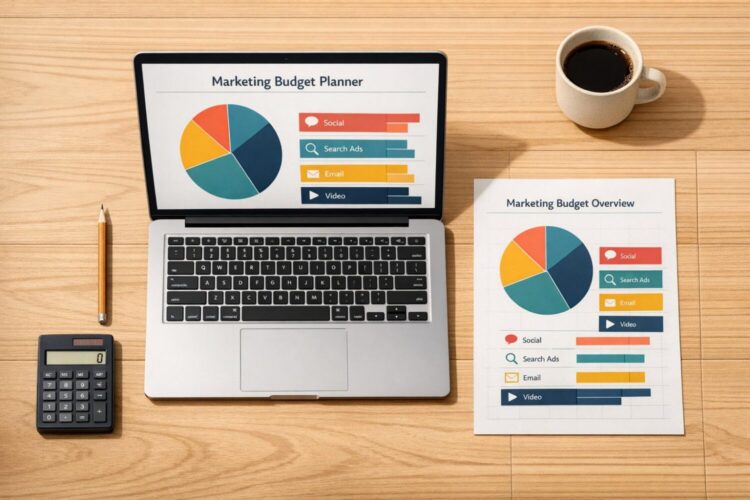
Plan Your Marketing Budget with Precision
Managing marketing funds can feel like a juggling act, especially when you’re trying to balance multiple channels with limited resources. That’s where a smart marketing budget planner comes in. This tool is designed to help businesses of all sizes—whether you’re a solo entrepreneur or part of a larger team—distribute your funds effectively across areas like social media, paid advertising, and events. By providing a clear breakdown of your allocations, it takes the guesswork out of financial planning.
Why Budget Allocation Matters
A well-thought-out distribution of marketing resources ensures that no channel is underfunded or overlooked. For instance, you might prioritize content creation to build long-term brand awareness while still reserving a chunk for quick-impact ad campaigns. With an intuitive budget allocation tool, you can experiment with different splits, add custom categories for niche strategies, and instantly see the dollar amounts per segment. Plus, it keeps you in check with warnings if you’re stretching your funds too thin. Take a proactive step toward smarter spending today, and watch how a little planning can amplify your marketing impact without breaking the bank.
FAQs
Can I add custom marketing channels to the planner?
Absolutely! While we’ve included five main channels—social media, email marketing, content marketing, paid ads, and events—you can easily add custom ones. Just click the ‘Add Channel’ option, name it, and assign a budget amount or percentage. This flexibility ensures the tool works for any unique campaigns or strategies you’re running.
What happens if I go over my total budget?
No worries—we’ve got you covered. If your allocations exceed your total budget, the tool will display a clear warning message letting you know. You can then adjust the amounts or percentages for each channel until everything balances out. It’s a handy way to avoid overspending before you even start.
Does the tool handle both percentages and fixed amounts?
Yes, it’s super versatile. For each channel, you can choose to input either a percentage of your total budget or a specific dollar amount. The tool automatically calculates the corresponding dollar value for percentages and ensures all inputs are valid. If something’s off, like a negative number, you’ll get a friendly error message to fix it.


0 Comments